
Automation: Set Hourly rate & Currency on Billable hours
Whenever a new Billable hours record is assigned a Client, but its own Hourly rate or Currency fields are still empty, Airtable automatically copies in the client’s defaults. This ensures every time log immediately captures the correct billing rate and currency without manual lookup. This saves a snapshot of the hourly rate at the time of creation so that the hourly rate does not change retrospectively in the future in case the hourly rate changes.
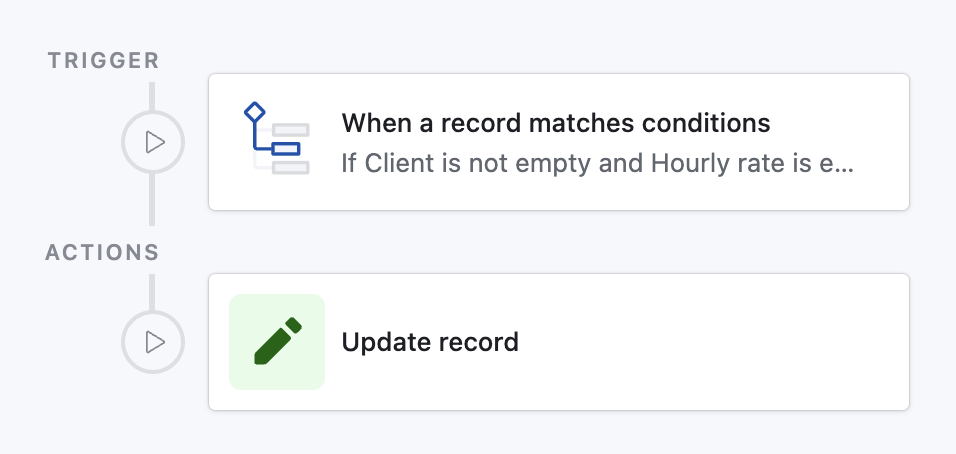
How it works
Detects any Billable hours record where:
- Client is not empty
- Hourly rate is empty
Updates that record:
- Sets Hourly rate to the value from Hourly rate (from Client) lookup
- Sets Currency to the name from Currency (from Client) lookup
Prompt for Airtable Omni
(Quickly create this automation via AI in your base)
text
Create an automation:

• Trigger
  - Type: “When record matches conditions”
  - Table: Billable hours
  - Conditions:
      1. Field “Client” is not empty
      2. Field “Hourly rate” is empty

• Action
  - Type: “Update record”
  - Table: Billable hours
  - Record ID ← Airtable record ID of triggering record
  - Fields to update:
      • Hourly rate ← Hourly rate (from Client) ▶ Value
      • Currency     ← Currency (from Client)     ▶ Name
Paste this into the AI Assist prompt inside Automations; Airtable will create the trigger and update step for you.